
Do Vending Machines Need WiFi? What Breaks Offline and What Does Not
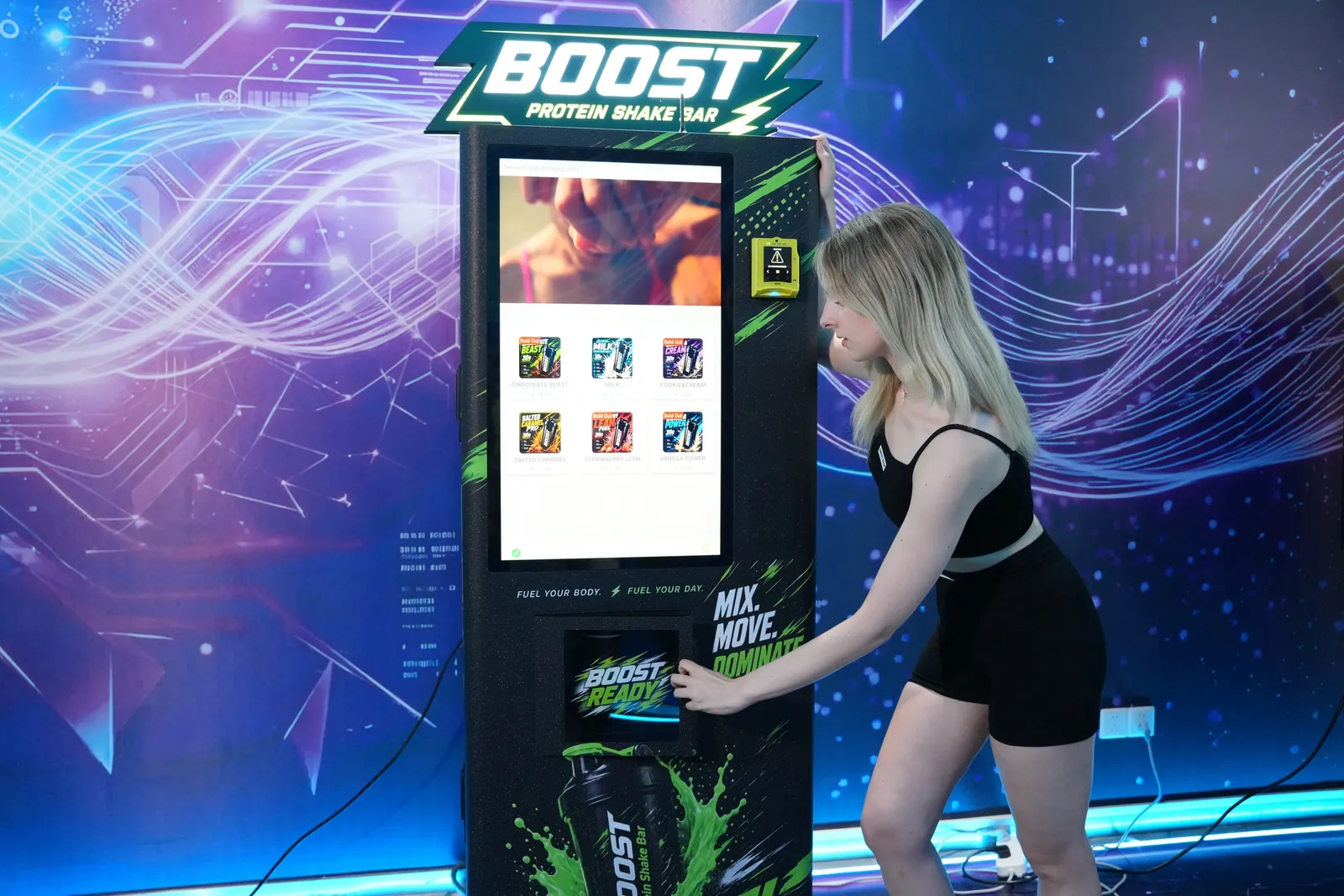
The machine does not need the internet. The payment does. Every production cycle across our 20 published machines runs on the controller inside the cabinet: the 180-second cotton candy cone, the 60-second protein shake, the 30-second candy cup, the 15-second photo print. None of those touch a server. A dropped connection stops the card reader, the sales data and the remote tools, and leaves the robot arm perfectly capable of making a product nobody can pay for. That distinction is the whole answer, and almost every buyer gets it backwards on the first call.
What actually needs the connection
Split the machine into functions rather than treating it as one connected object. Some functions live entirely inside the cabinet, some live on a server somewhere, and only the second group cares about your signal.
| Function | Needs a connection | What happens when it drops |
|---|---|---|
| Making the product (robot arm, heater, dispenser) | No | Unaffected. The cycle runs from the machine's own controller |
| Touchscreen menu and product selection | No | Unaffected. The interface is stored on the machine |
| Coins and notes | No | Unaffected. Cash never asked permission from anyone |
| Card, Apple Pay and Google Pay | Yes | Depends on the payment provider: a short offline window, or declines |
| QR wallet payments | Yes | Stops. The wallet has to reach its own server to authorise |
| Stock telemetry and sales reporting | Yes | Queues locally and syncs when the link returns |
| Remote price changes and screen content | Yes | Waits. The last configuration keeps running |
| Fault alerts and remote diagnostics | Yes | You find out about problems the old way, by visiting |
| Cloud-generated content on AI machines | Yes | That specific feature stops; on-device processing continues |
Read the table one more way and it tells you something useful about risk. A cash-and-card machine with a dead connection is running at reduced revenue. A card-only machine with a dead connection is a very expensive cabinet. In markets where cash has effectively disappeared, the connection stops being a convenience and becomes the thing your entire day's takings depend on.
Venue WiFi or your own mobile data?
There are two ways to get a machine online and they fail in completely different ways. Venue WiFi is free and already there. It also belongs to somebody else. The guest network reboots, the password rotates every ninety days, an IT contractor re-segments the VLAN, and nobody in that chain of events knows a vending machine was depending on it. Worse, a lot of guest networks sit behind a captive portal with a terms-of-use checkbox, and a machine has no way to tick a box.
A mobile connection costs a small monthly fee per machine and belongs to you. It survives the venue's IT decisions, it moves with the machine if you relocate it, and it gives you one thing to check when something goes quiet rather than three. Our own view, from machines in 53 countries, is that operators who start on venue WiFi to save the data fee tend to move to their own connection after the first weekend outage that nobody noticed until Monday.
The honest exception: if you own the site, use your own WiFi. A gym owner putting a shake machine in their own gym has none of the problems above, because the person who controls the router is the person who owns the machine.
What happens to card payments in an outage
This is the question worth pressing your supplier on, and the answer is not ours to give, because the behaviour belongs to the payment platform rather than to the machine. Some unattended-retail readers hold a limited offline window: they approve small transactions locally and forward them when the link returns, with the operator carrying the risk on anything that later fails. Others decline immediately. The difference matters enormously in a basement car park and not at all in a mall atrium with four bars of signal.
Ask the payment provider one specific question in writing: what does this reader do with a transaction when it cannot reach you, and for how long. If the answer is vague, that is the answer. The wider question of who charges what for the reader, the platform and the transaction is broken down in the guide to cashless payment costs for vending machines.
How much data does a machine actually use?
We do not publish a monthly figure, and you should be suspicious of anyone who quotes one without asking what you are running. Card authorisations and stock telemetry are small text payloads: a few hundred bytes describing a sale, sent a few dozen times a day. That is nothing. What is not nothing is video on a large screen, remote software updates, and any feature that sends an image up to a server and pulls a result back. Those are the lines that turn a modest data plan into an unexpected bill.
The practical move is to get the estimate from the party that generates the traffic. Your payment platform knows what its own terminals consume per transaction, and that is the number to size a SIM plan against.
Survey the signal before you sign the location
Almost nobody does this and it takes four minutes. Stand exactly where the machine will stand, not at the entrance, and look at your phone. Then remember two things the phone will not tell you. First, the machine's electronics sit inside a steel cabinet, and steel is not kind to radio. Second, the venue will be full of people on the day it matters, and a mall concourse at 6pm on a Saturday is a very different radio environment from the same spot on a Tuesday morning.
The sites that catch operators out are consistent: underground car parks, basement food courts, lift lobbies, the back corridor of an older hotel, and anywhere behind a lot of concrete. None of those are dealbreakers. They are just sites where you plan the connection first and the machine second, rather than discovering the problem on installation day with a crated machine on a trolley.
The connection earns its keep on the service side
Everything above is about not losing sales. The reason we push operators to stay connected is the other half: what a connected machine saves you in wasted trips. Our support runs live chat with English-speaking technicians, video calls, a ticket system for complex issues, and a remote connection into the machine itself. Most faults we see are settings corrections rather than broken hardware, and a settings correction on a connected machine is a chat message. On a disconnected machine it is a drive across town.
Count your own wasted journeys rather than trusting a number from us. Every time you have driven to a machine to discover it needed a restock you could have predicted, or a reset you could have done from a laptop, that is the cost of the connection paying itself back. When something genuinely does need a part, we ship spares from Guangzhou in 7 to 14 days depending on the country, and a free spare-parts package comes with every machine. What we cannot ship is the drive.
Which machines suffer most from a bad connection
Ranked by how much of the customer experience depends on a server, the AI machines are at the top: anything generating content in the cloud loses that feature outright, though on-device processing carries on. That specific split is covered in more detail in the piece on what AI vending machines actually do.
At the bottom of the list sit the mechanical performers. A Cotton Candy Robot spinning a cone, a Popcorn Bot running its 90-second cycle, a Candy Beast filling a cup in 30 seconds: all of them are complete machines on their own. Give one a coin mechanism and it will trade through a week-long outage without noticing. That is worth knowing if your target venue is a festival field or a seasonal site where the signal is a genuine unknown.
Six things to settle before installation
Decide whether the machine gets venue WiFi or its own mobile connection, and put it in writing with the venue either way. Ask your payment provider what its reader does offline and for how long. Get their per-machine data estimate before you buy a plan. Walk the exact spot and check the signal at a busy hour. Decide whether the machine takes cash as well as cards, which is a market question rather than a technical one. Then confirm with us that the machine is configured for the payment hardware you actually bought, before it goes into production rather than after.
If the underlying question is whether the connected machine is worth its price at your site at all, that argument is made properly in smart vending machines versus traditional ones, including the two situations where we would tell you to buy the simpler machine. And if the connection is part of a broader service plan, the maintenance guide covers what still has to be done in person.
Frequently Asked Questions
Do vending machines need WiFi to work?
The machine does not, the payment does. Every production cycle in our lineup runs on the machine's own controller: the 180-second cotton candy cone, the 60-second protein shake, the 30-second candy cup. Card and wallet payments need a live connection to reach the processor, so a machine that only takes cards stops selling when the link drops.
Should I use the venue's WiFi or a SIM card?
A mobile connection you control is the safer default in a public venue. Guest WiFi networks change passwords, sit behind captive portals that machines cannot log into, and get reconfigured by an IT team that has never heard of your machine. Venue WiFi is fine in a site you control, such as your own gym or office.
What happens to a vending machine when the internet goes down?
Production and the on-screen menu keep working, telemetry queues up and card payment behaves however your payment provider configured it. Some readers hold a short offline window and forward the transactions later, others simply decline. That behaviour belongs to the payment platform, not to the machine, so ask the provider directly.
How much data does a vending machine use per month?
We do not publish a figure, because it depends entirely on the payment platform and how much media you push to the screen. Card authorisations and stock telemetry are small text messages. Video content on a large screen is not. Ask your payment provider for their own per-machine data estimate before you buy a plan.
Can Futureino fix a machine remotely?
Often, yes. Our support runs live chat with English-speaking technicians, video calls, a ticket system for complex issues and a remote connection into the machines themselves. Most faults we see are small settings corrections rather than hardware failures, and those are exactly the ones that get solved without anyone travelling.
Do I need internet for a cash-only vending machine?
No. A machine taking coins and notes will trade indefinitely with no connection at all. What you lose is everything you would have known about it: sales by hour, stock levels, fault alerts and the ability to change a price without driving to the site. Most operators decide that visibility is worth the connection.
Tell us the site, we will tell you what it needs
Send us the venue, the country and the machine you are considering, and we will confirm the payment hardware, the connectivity options and what the machine does offline before anything is built.